
Pay Multiple Tax Bills at One Time on MyOrangeCountyNC
After adding your property tax account on MyOrangeCountyNC (see Add a Property on MyOrangeCountyNC), you can easily make payments for several property tax bills at once. To pay for several property tax bills in one transaction follow the steps below:
- Under the "Available Bills" section, click Add All to Cart
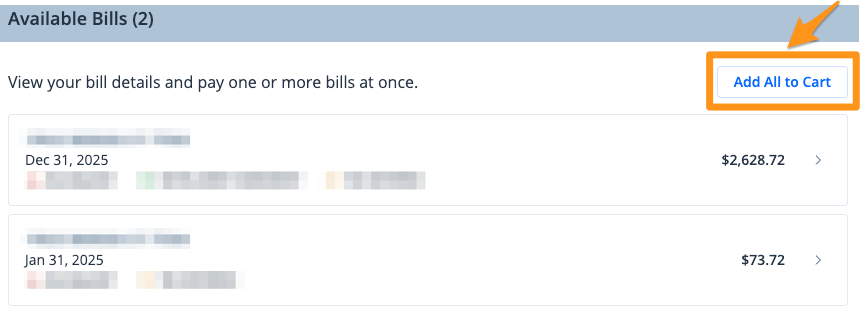
Note: If you have four or more bills, click View All under the "Available Bills" section to select multiple bills at once.
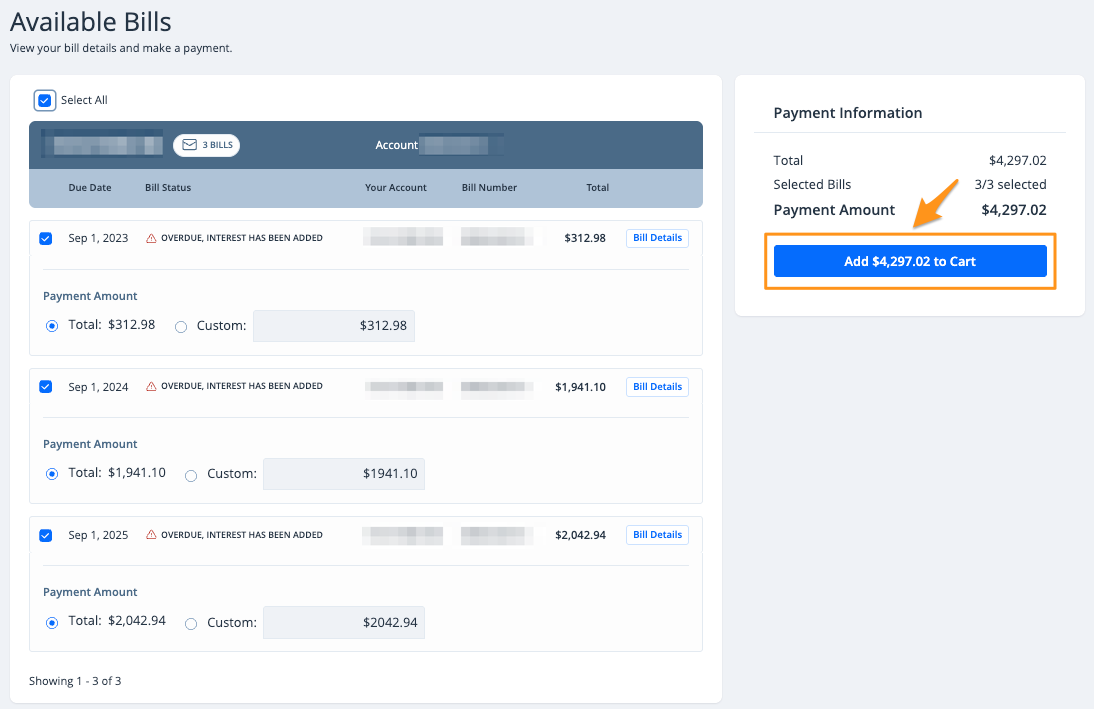
- Select the preferred bills then click the blue Add $--.-- to Cart button
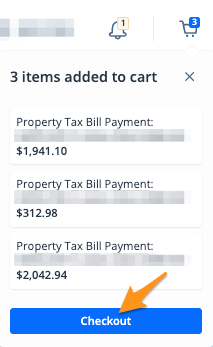
- On the cart notification, click Checkout
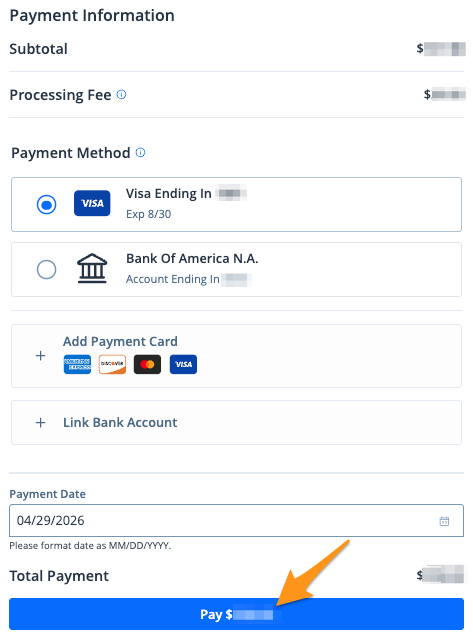
4. Select a payment method and click the blue Pay $--.-- button to complete your payment
After completing your payment, you will receive an email confirmation. If you are signed into your MyOrangeCountyNC profile, a receipt will also be stored in the "Payment History" section of your profile (see Find a Receipt MyOrangeCountyNC).